

Migraine diary app for iPhone
Quiet Hours: Migraine Tracker
Log a migraine in two taps. Add the details when you feel better. Then walk into your next doctor visit with a clear record of what happened.
Coming soon to iPhone
- Free to download
- No account
- Stays on your iPhone
How it works
A migraine diary that waits for you
When a migraine starts, you shouldn’t have to fill in a form. Quiet Hours saves the moment now and asks for the rest when you’re ready.
-
Log it when it starts
Tap Log migraine, then Start now. Or ask Siri: “Log a migraine in Quiet Hours.” The start time is saved, and nothing else is asked of you.
-
Add the details when you can
Later that day or the next morning, add pain levels, medication and how well it helped, symptoms, aura and possible triggers. Missed a few days? Add them from the calendar.
-
See your patterns
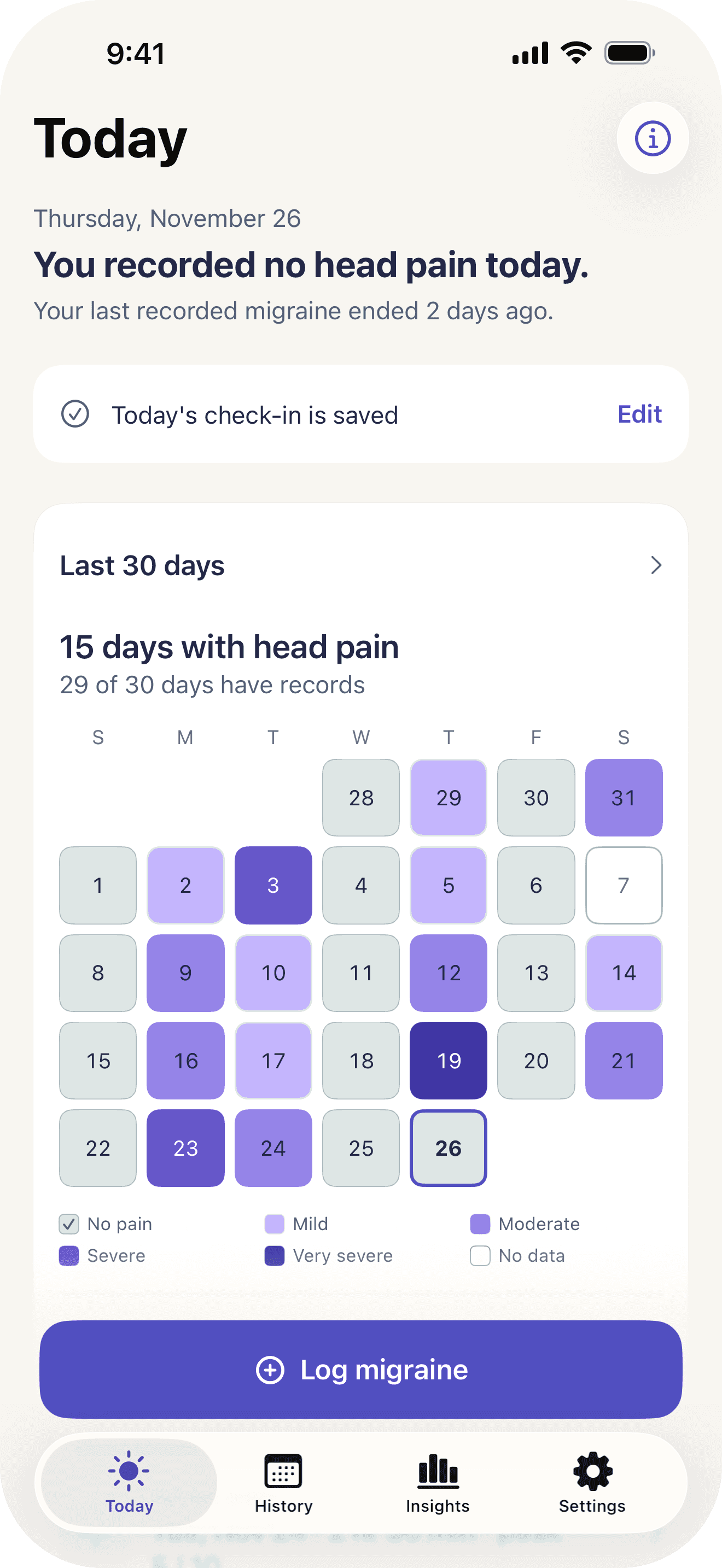
Your calendar and insights show migraine days, medication days and how long attacks lasted. Days you didn’t log stay blank instead of counting as pain-free.
Features
A headache log built for bad days
A migraine log built around how bad days actually go: hard to type during, easy to forget after.
-
Quick logging, even mid-attack
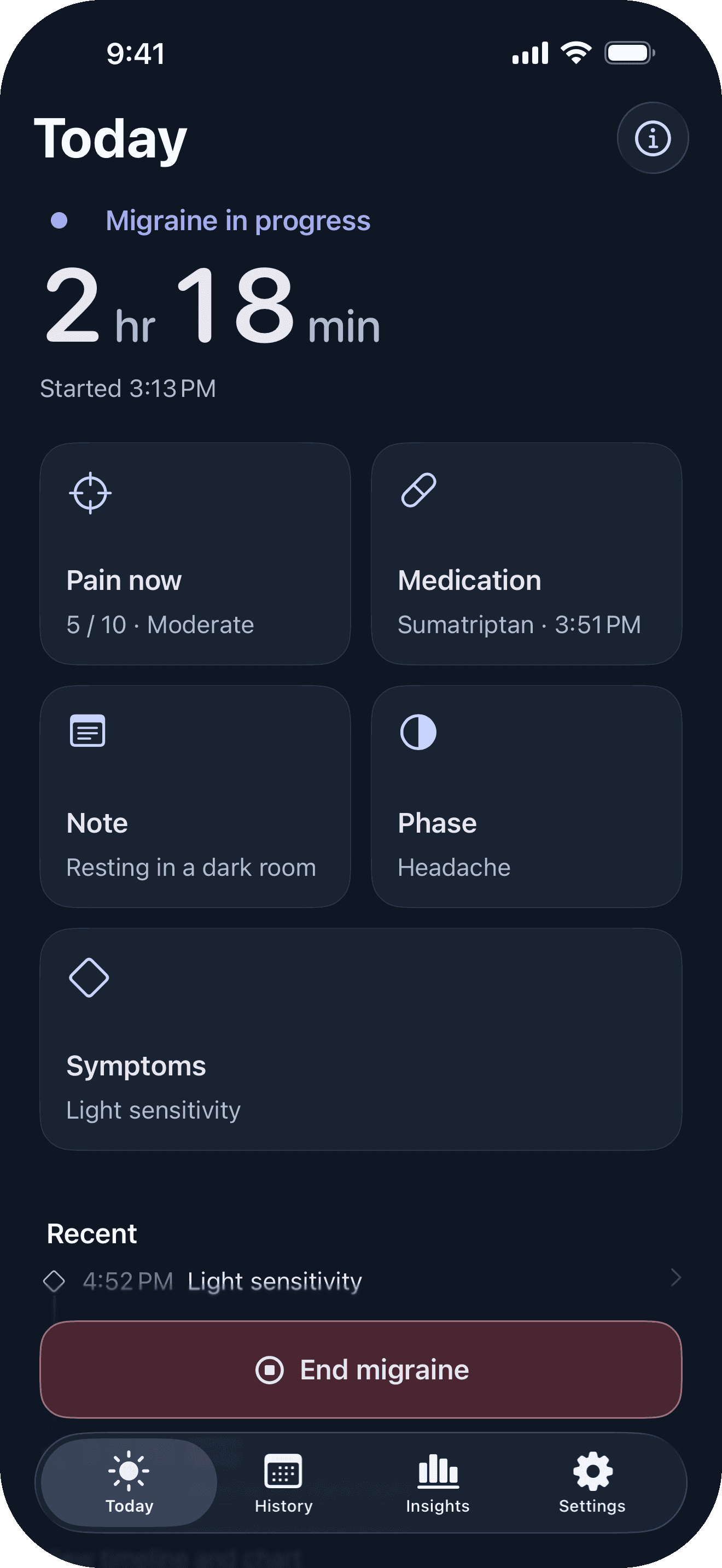
Two taps save the start. Migraine mode then gives you a few large buttons for pain, medication and notes, with little to read, and calm in Dark Mode.
-
Details and possible triggers, later
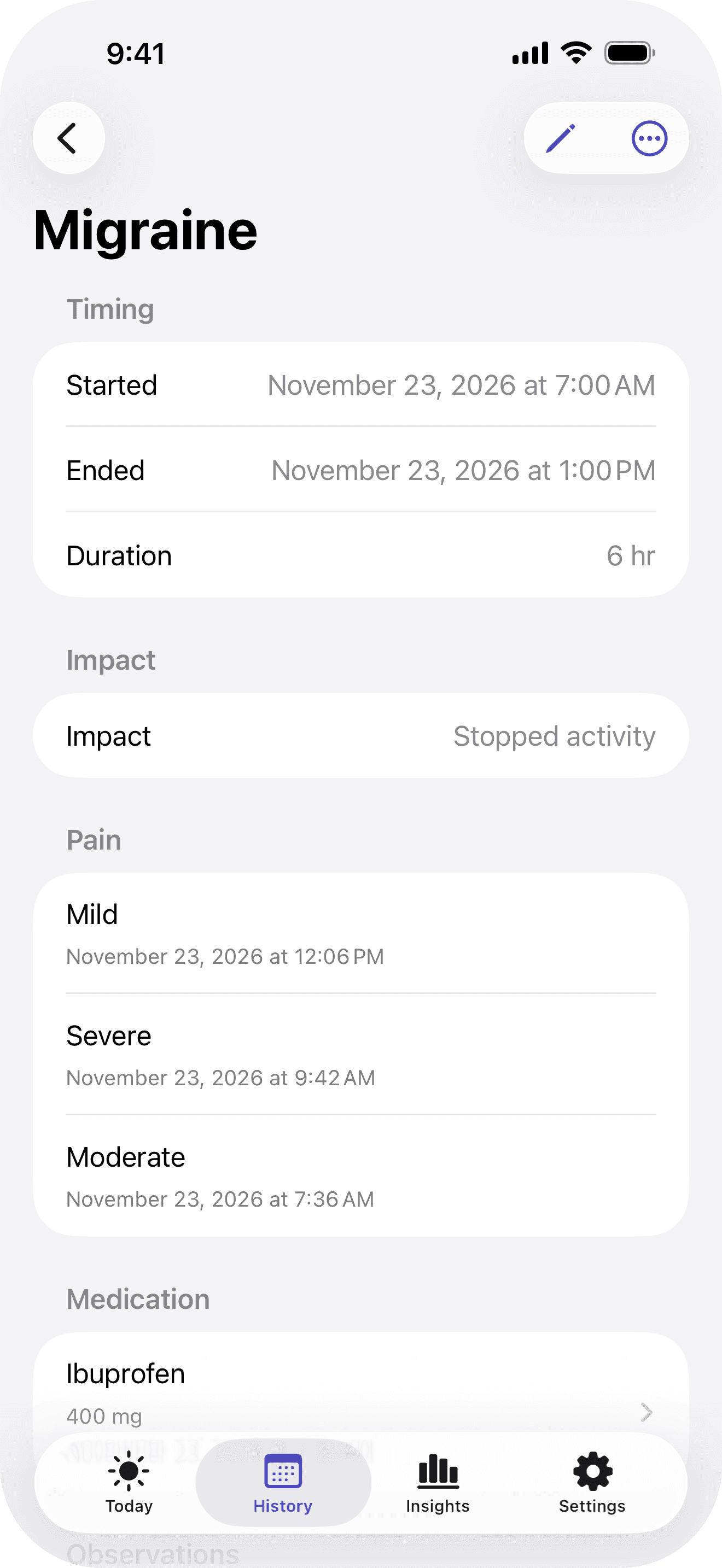
Add pain over time, symptoms, aura and how much it stopped you. Note possible triggers: a sleep change, a skipped meal, bright light, stress, or your own items. You record them; the app never guesses causes.
-
A simple medication log
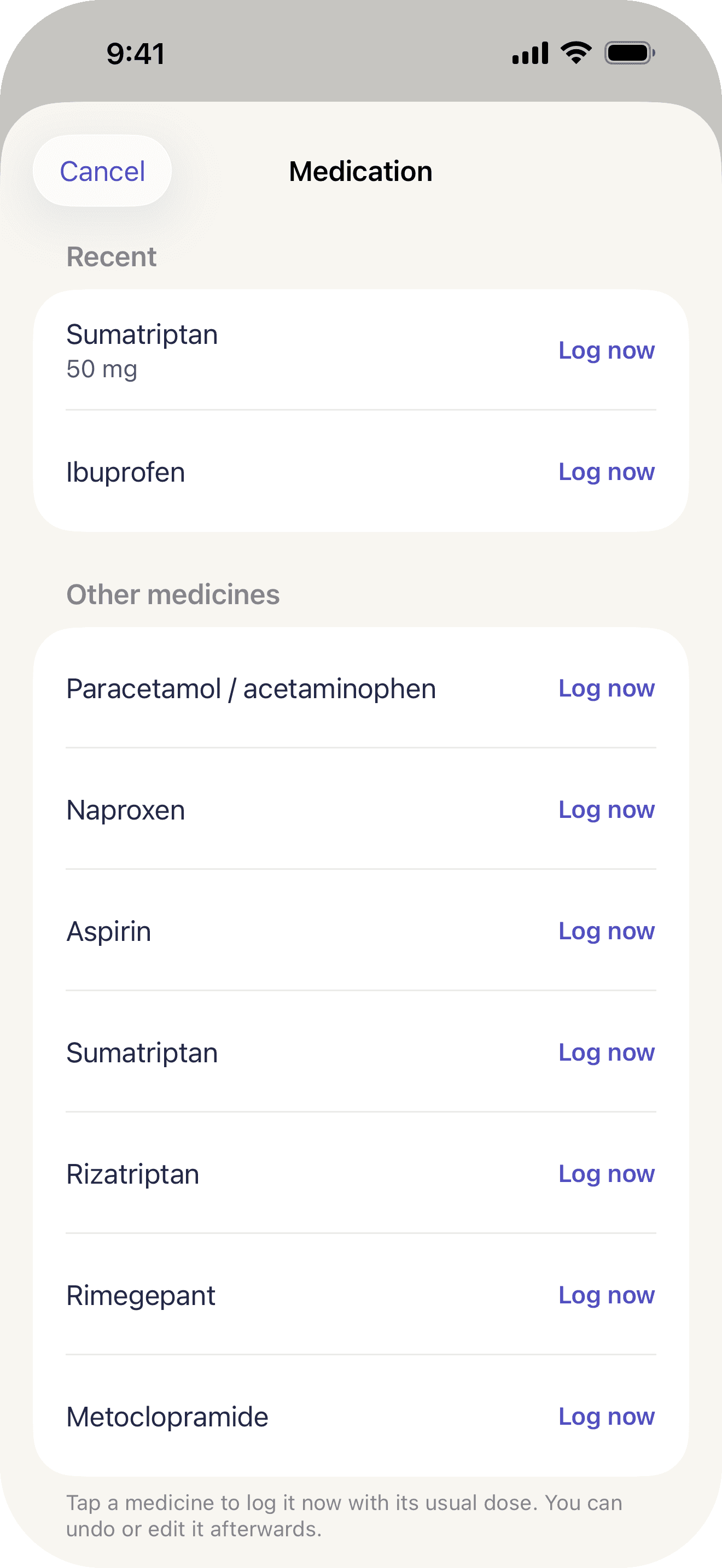
Tap a medicine to log it now with its usual dose. Afterwards, note how well it helped. Acute and preventive medicines are listed separately.
-
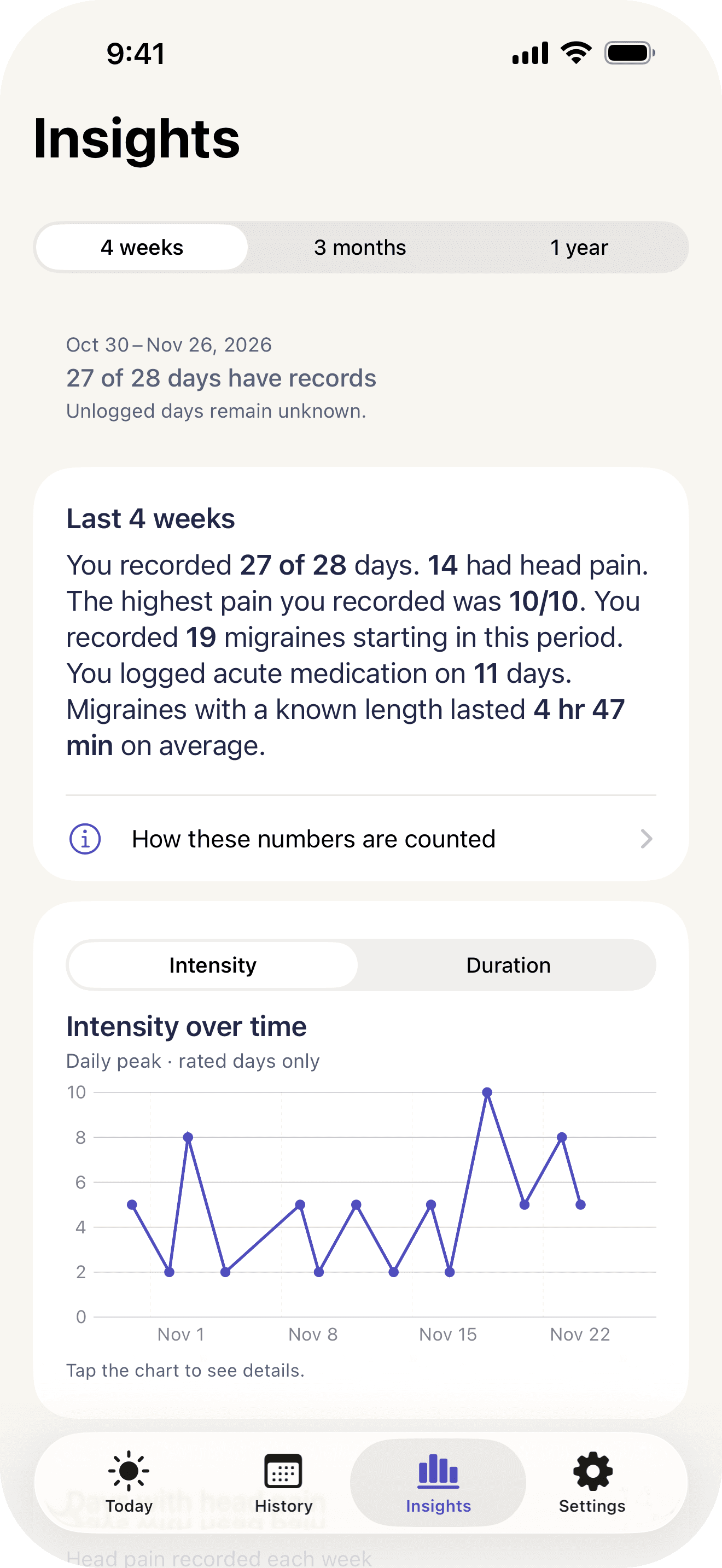
Patterns in plain words
Migraine days, highest pain, medication days and average length, written as sentences rather than scores. 30 days are free; 3-month and 1-year views come with Pro.
-
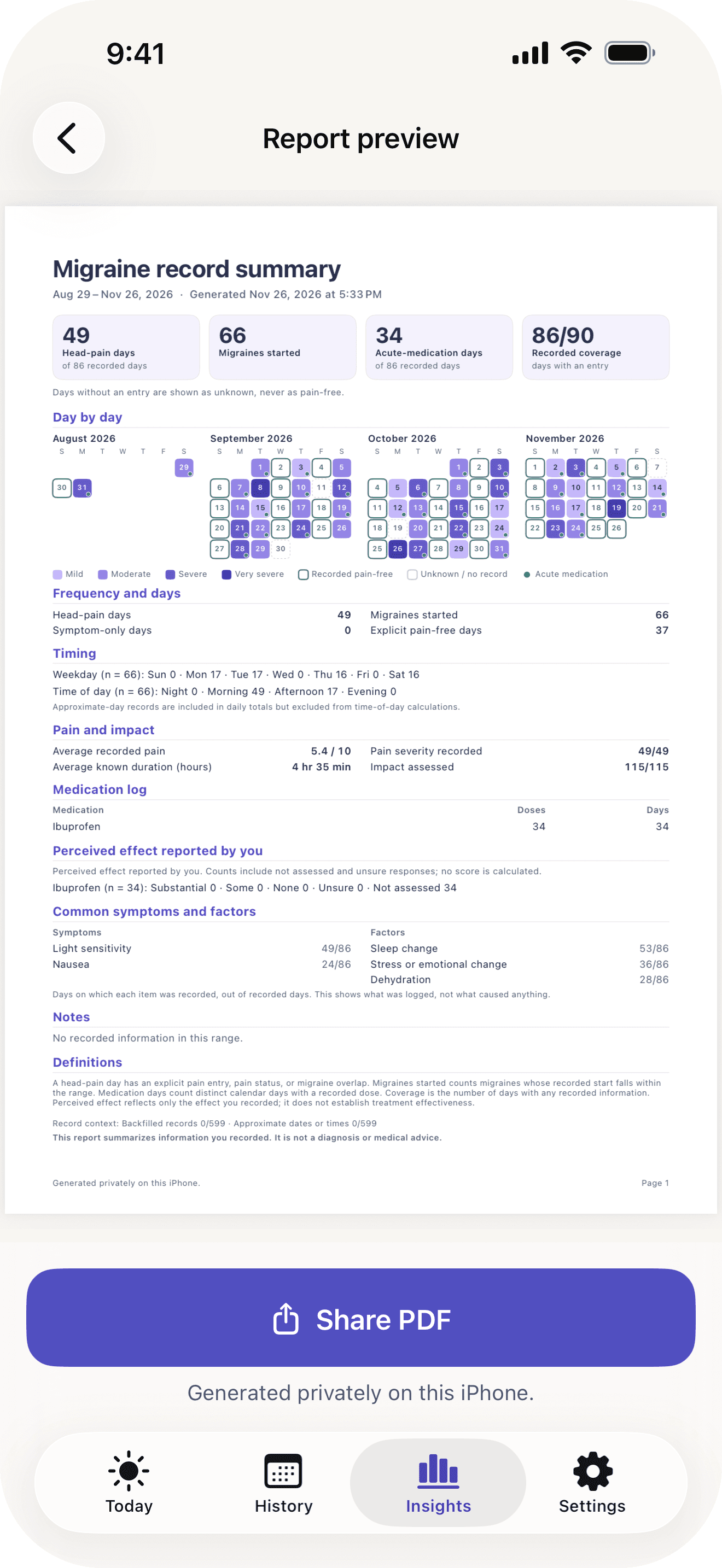
A headache diary for your doctorPro
Make a one-page PDF for your appointment: migraine days, medication days and what helped. On any plan, you can also export your full diary as a CSV file.
-
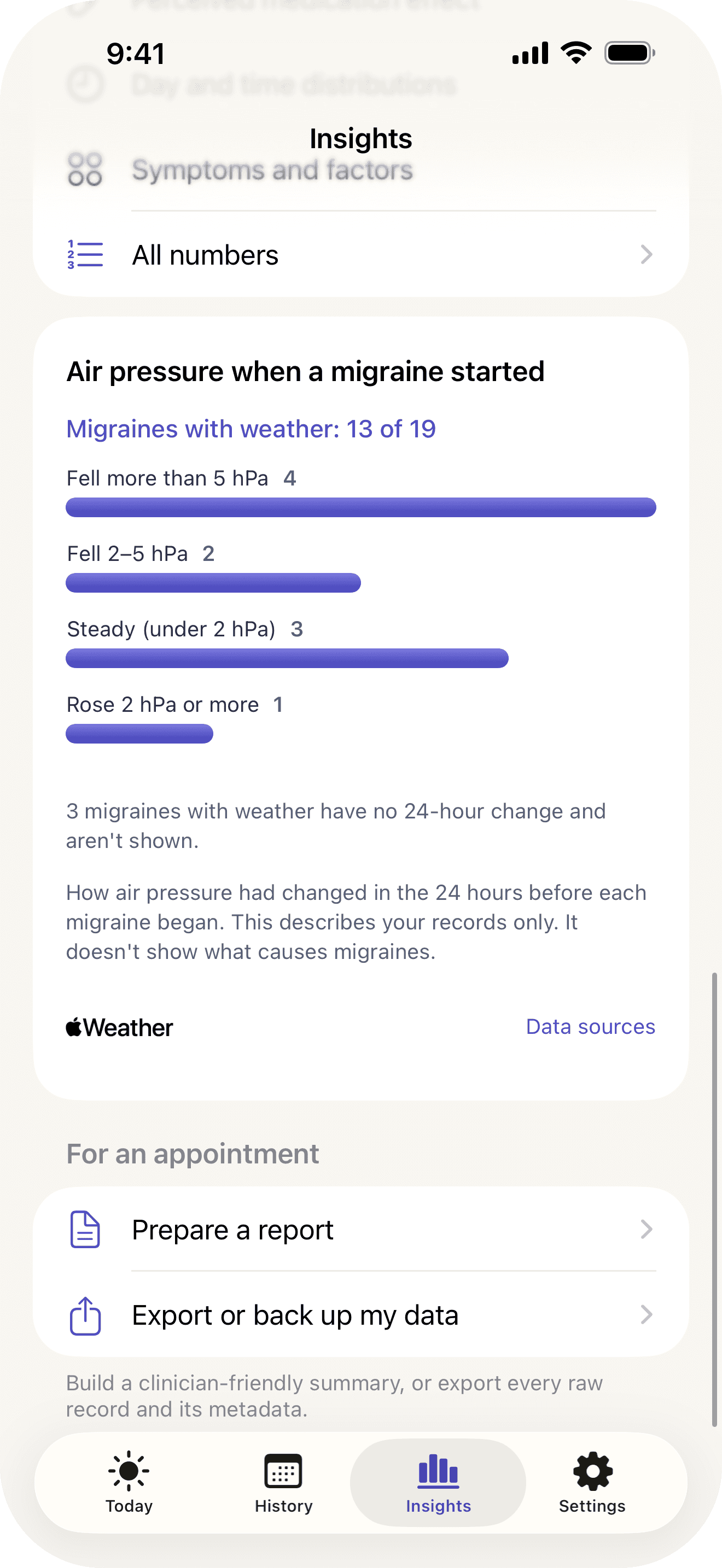
Weather and air pressurePro
Turn it on and the weather and air pressure are saved with every migraine you start (Pro). It describes your records only; it doesn’t claim what causes them.
Logging, 30 days of history and insights, and CSV export are free. Coming soon to iPhone.

Privacy
Your headache diary stays on your iPhone
Your migraine history is personal health information. Quiet Hours keeps it on your device, and there’s no Quiet Hours server for it to go to.
-
No account
Nothing to sign up for and nothing to sign in to.
-
Stored only on your iPhone
Your diary lives in the app’s private storage, protected by iOS. We have no server and never see it.
-
No tracking
No analytics and no third-party code. The App Store privacy label reads “Data Not Collected”.
-
Never sold
We never sell health data. We never have it in the first place.
-
Yours to take or delete
Export everything as a CSV file any time, or delete all of it in the app under Settings › Privacy & Security.
-
Weather is optional
If you turn it on, your approximate location goes only to Apple Weather and is never stored.
There’s no cloud sync. Like any app, Quiet Hours can be included in your iPhone’s own iCloud or computer backup, which Apple manages under your settings. Read the privacy policy
Who it’s for
Made for people who live with migraine
-
People with migraine
Episodic or chronic, with or without aura. Quiet Hours is built for the moment you can barely look at a screen, and for the clearer hours after.
-
Anyone with frequent headaches
If headaches keep interrupting your week, a simple headache tracker shows how often, how bad and what you took, without guessing from memory.
-
Anyone preparing for a neurologist visit
Asked to “keep a headache diary” before your next appointment? Keep a clear record of migraine days, medication and what helped, and bring it with you.
Is Quiet Hours free?
Yes. Quiet Hours is free to download, and logging is free and unlimited. The free app includes 30 days of history and insights, the Home Screen widget, Siri and a full CSV export.
Quiet Hours Pro is an optional in-app purchase for longer history, 3-month and 1-year insights, weather and air pressure, the PDF report for your doctor, encrypted backups and app lock. You can pay monthly, yearly or once. Without Pro, every entry stays saved and exportable.
Does Quiet Hours work offline?
Yes. There is no Quiet Hours server, so logging, history, insights and export all work without a connection. The only exception is the optional weather feature, which needs a connection to fetch conditions when you start a migraine.
Where is my data stored?
Only on your iPhone, in the app’s private storage, protected by iOS data protection. There is no account and no cloud sync, and we never receive your diary. Like any app, its storage can be part of your iPhone’s own backups, such as iCloud Backup, which Apple manages under your settings.
Can I share reports with my doctor?
Yes. With Pro, Quiet Hours makes a one-page PDF summary for appointments: migraine days, medication days and what helped. It’s created on your iPhone, and you choose how to share it, for example by AirDrop, Mail or printing. On the free plan you can export your whole headache log as a CSV file at any time.
Does Quiet Hours replace medical advice?
No. Quiet Hours is a personal migraine diary. It doesn’t diagnose, predict migraines or recommend treatment. Quiet Hours is not a medical device and doesn’t replace advice from your doctor. Talk to a health professional about your symptoms and treatment.
Can I log a migraine without looking at my phone?
Yes. Say “Log a migraine in Quiet Hours” and Siri saves the start time. Say “End my migraine in Quiet Hours” when it’s over. You can also add both actions in the Shortcuts app.
What can I track in my headache diary?
Start and end times, pain over time, medication and how well it helped, symptoms, aura, phases, how much it stopped you, notes, and possible triggers such as a sleep change, a skipped meal, bright light or a hormonal change. You can add your own items, and record pain-free days too.
What happens on days I don’t log anything?
They stay unknown. Quiet Hours never counts an unlogged day as pain-free, so your numbers only reflect what you actually recorded. If you missed a few days, you can add them later from the calendar.

Start your migraine diary on a quiet day
Coming soon to iPhone. Free to download, no account. Two taps when it starts, the rest when you’re ready.
Coming soon to iPhone
Quiet Hours is not a medical device and doesn't replace advice from your doctor.